Parameters Panel
The view action web UI includes a parameters panel. When your model
defines parameters and/or presets, controls for those
parameters and presets appear in the parameters panel.
The availabe parameters and presets in the parameters panel update as edits to your model adds, changes, or removes parameters.
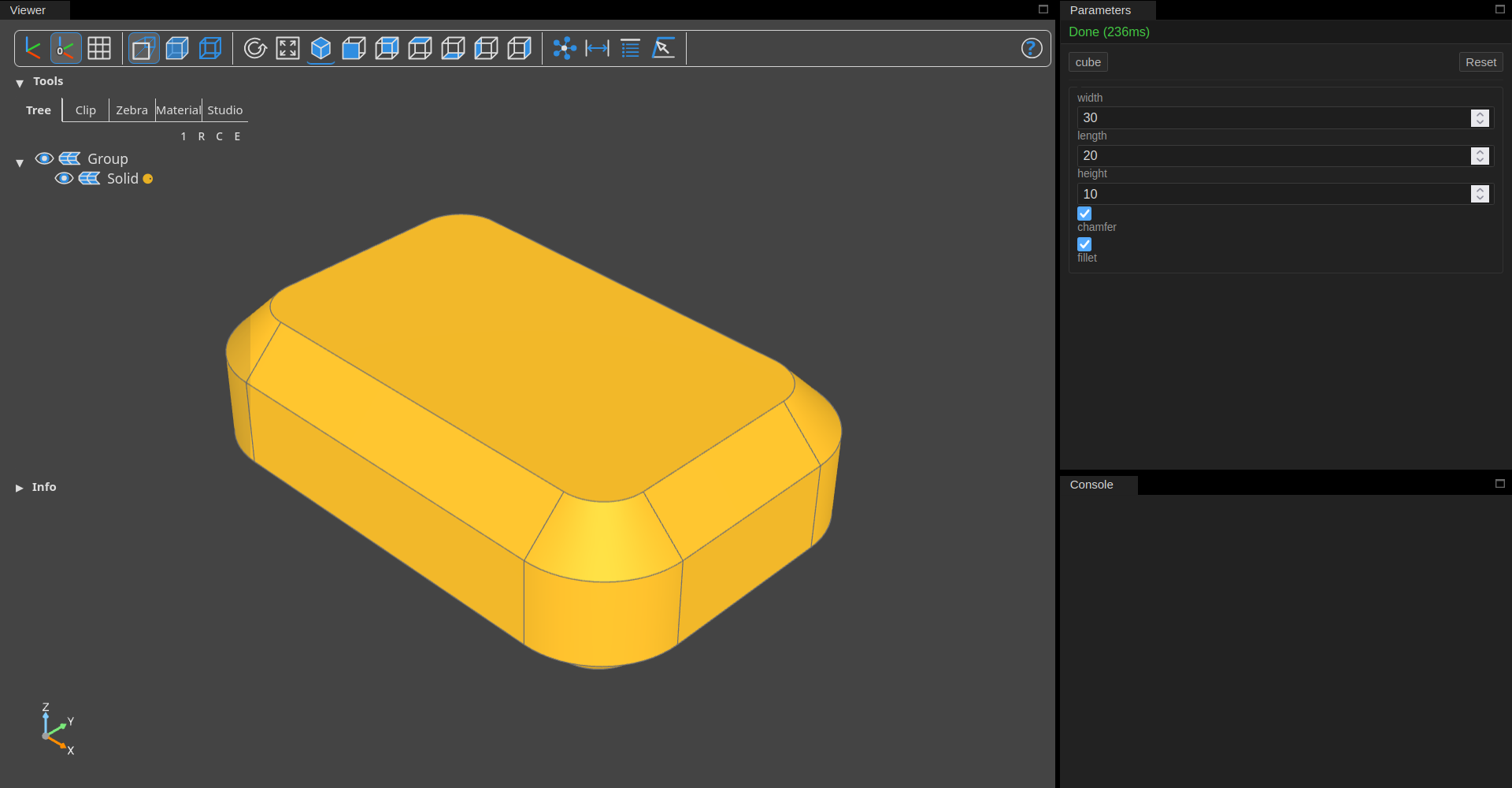
Source code
from __future__ import annotations

from dataclasses import dataclass, field

from build123d import (
    Axis,
    Box,
    BuildPart,
    Color,
    Plane,
    Select,
    chamfer,
    fillet,
)

from bdbox import Choice, Int, Model, Preset


@dataclass
class DisplayColor:
    opacity: int = Int(default=0xFF, min=0x00, max=0xFF, step=1)
    color: str = Choice("default", ("lime", "default"))


class BoxDemo(Model):
    width: float = 30.0
    length: float = 30.0
    height: float = 10.0
    chamfer: bool = True
    fillet: bool = True
    display_color: DisplayColor = field(default_factory=DisplayColor)
    presets = (
        Preset("thin", height=2.0, chamfer=False),
        Preset(
            "cube",
            width=30.0,
            length=30.0,
            height=30.0,
            chamfer=False,
            fillet=False,
        ),
        Preset("chamfer-cube", width=30.0, length=30.0, height=30.0),
        Preset(
            "lime-chamfer-cube",
            width=30.0,
            length=30.0,
            height=30.0,
            display_color=DisplayColor(color="lime"),
        ),
    )

    def build(self) -> Model.Geometry | None:
        with BuildPart() as p:
            Box(self.width, self.length, self.height)
            if self.fillet:
                fillet(
                    p.edges(Select.LAST).filter_by(Axis.Z),
                    min(self.width, self.length) / 4,
                )
            if self.chamfer:
                chamfer(
                    p.edges().filter_by(Plane.XY),
                    min(min(self.width, self.length) / 8, self.height / 4),
                )
        color = 0xB0EB00 if (self.display_color.color == "lime") else 0xE8B024
        if p.part:
            p.part.color = Color(color, alpha=self.display_color.opacity)
        return p.part
Starting the web UI
The web UI starts automatically with the view action:
bdbox model.py view
bdbox mypackage.mymodule view
python model.py view
python -m mypackage.mymodule view
With the view command running, the UI is available at:
Parameter controls
Info
A model declares parameters as class attributes just like with dataclasses, using standard type annotations and/or the provided field factory functions.
Parameter controls are generated automatically from your model's parameter definitions.
Changing any parameter value triggers an automatic model re-render with the updated value applied.
Presets
If your model defines presets, preset buttons appear above the parameter form. Clicking a preset button applies the preset's values and re-renders the model automatically.
Click Reset to restore all parameters to their default values.
Console
The console pane captures the model's standard error output, such as build errors and tracebacks.